Ask ten developers what "the best AI coding tool" is and you'll get answers that aren't actually comparable to each other — because they're not talking about the same category of product. Someone will say Copilot. Someone else will say Cursor. Someone else will say Claude. These aren't competing answers to the same question; they're answers to three different questions that all happen to get compressed into "best AI coding tool" when people write about it.
That compression is the actual problem with most content on this topic. This guide sorts AI coding tools by what they actually do — inline autocomplete, full IDE environments, conversational reasoning, and autonomous agents — and then tells you which combination is worth paying for, because almost no developer needs just one of these.
Quick Answer
The best AI coding setup in 2026 pairs one IDE-native tool (Cursor or GitHub Copilot) for inline suggestions and in-editor assistance with one conversational assistant (Claude or ChatGPT) for architecture decisions, debugging, and code review. These serve different jobs and are not redundant with each other. Agentic coding tools that autonomously execute multi-step tasks are useful additions for specific workflows but not yet a replacement for either of the first two categories.
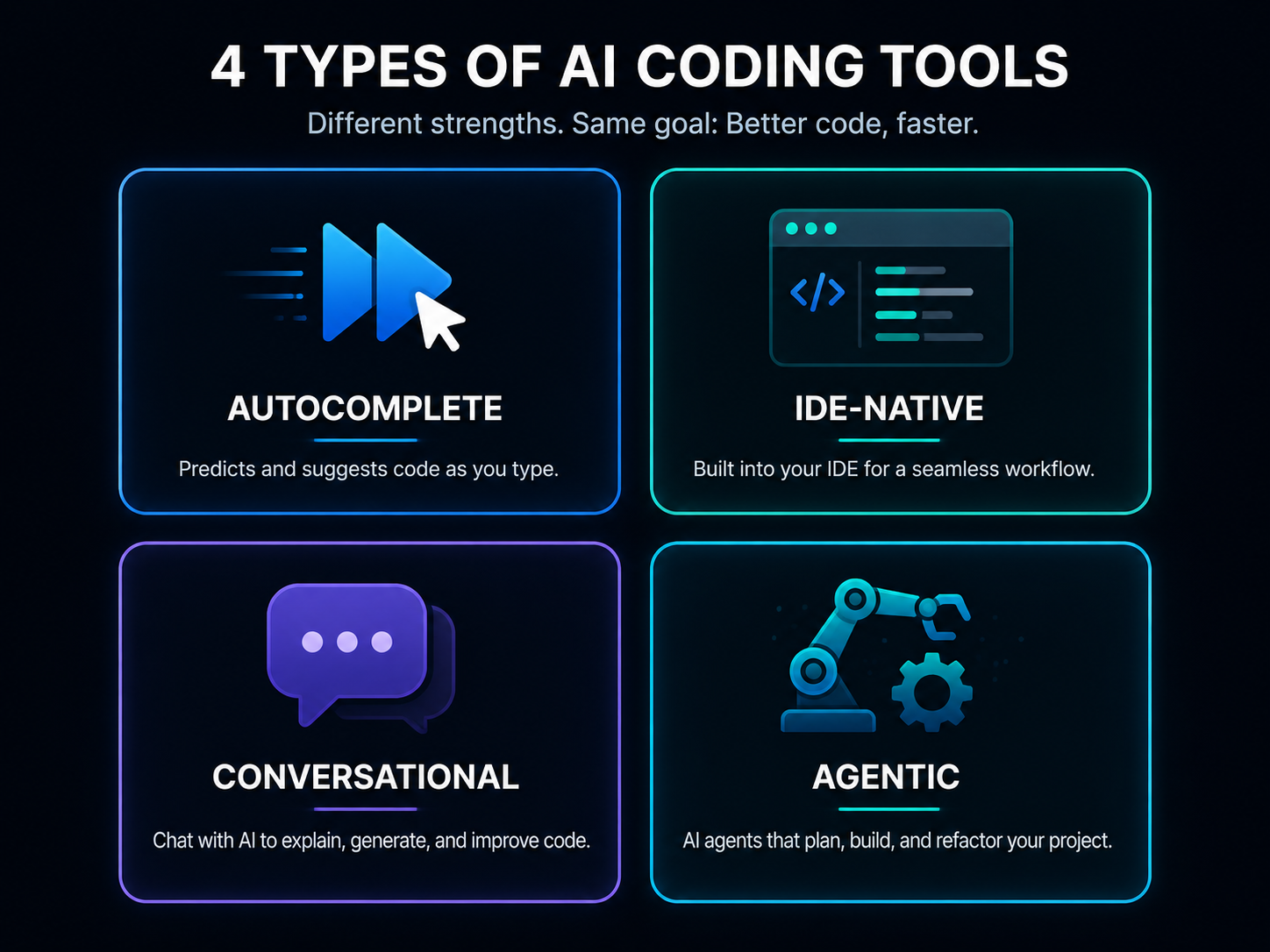
The Four Categories of AI Coding Tools
Before any recommendation, the category distinction that most comparisons skip entirely:
Inline autocomplete tools predict and complete your code as you type, directly in your editor, based on the surrounding context. This is the original category — GitHub Copilot pioneered it — and it's optimized for speed within an existing coding flow, not for reasoning about a problem from scratch.
IDE-native AI tools go further than autocomplete — they're often full code editors built around AI from the ground up, with chat, multi-file editing, and codebase-aware suggestions integrated directly into the development environment rather than bolted on as a plugin.
Conversational AI assistants are the chat-based tools — Claude, ChatGPT, Gemini — accessed through a browser or a side panel rather than living inline in your code. You paste code in, describe a problem, and get back an explanation, a fix, or a full implementation to bring back into your editor manually.
Agentic/autonomous coding tools take a task description and execute multiple steps toward completing it with minimal ongoing supervision — writing code, running it, checking the output, and iterating, closer to delegating a task than requesting a suggestion.
Most developers end up using tools from at least two of these categories simultaneously, not choosing one and discarding the rest.
Best IDE-Native AI Coding Tools
Cursor has built its entire editor around AI assistance rather than adding it to an existing tool. Multi-file editing, codebase-aware chat, and inline suggestions all live in one environment, which removes the copy-paste friction of switching between an editor and a separate chat window.
Why it fits: If most of your work happens inside one primary codebase and you want AI suggestions that understand your project's existing structure without you re-explaining it constantly, an IDE built around that context is a genuinely different experience than a plugin bolted onto an existing editor.
Who should avoid it: Developers deeply attached to a specific existing editor setup — years of configured extensions, keybindings, workflow — may find the switching cost isn't worth it, since Cursor asks you to adopt its editor as your primary one rather than adding a feature to what you already use.
GitHub Copilot, while historically categorized as autocomplete (below), has expanded meaningfully into IDE-native territory with Copilot Chat and Workspace features that go beyond inline suggestions into multi-file, project-aware assistance inside VS Code and JetBrains IDEs specifically.
Related articles
AI Tools
AEO vs GEO vs SEO: What's Actually Different (2026 Guide)
AEO vs GEO vs SEO explained clearly — what each term actually means, whether they need separate strategies, and which one is still just marketing vocabulary.
AI Tools
Best AI Video Editors for YouTube in 2026 (By Channel Type)
Best AI video editors for YouTube in 2026 — sorted by channel type, not a generic ranked list. Free tiers, real limitations, and a workflow that actually works.
Why it fits: If you're already inside VS Code or a JetBrains IDE and don't want to switch editors, Copilot's expanded feature set now covers much of what a dedicated AI-native IDE offers, without requiring you to leave your existing setup.
Best Inline Autocomplete Tools
GitHub Copilot remains the most widely adopted pure autocomplete tool, and for straightforward completion — finishing a function signature, predicting the next few lines based on a pattern you've already established — it's fast, well-integrated across major editors, and requires essentially no workflow change to adopt.
Why it fits: For developers who want the least disruptive entry point into AI-assisted coding — no new editor, no new chat habit, just faster typing of code you were already going to write — Copilot's autocomplete is the lowest-friction starting point.
Who should avoid it: If your actual bottleneck is architectural decisions or debugging complex issues rather than typing speed, autocomplete alone won't touch your real problem — it speeds up writing code you already know how to write, not reasoning through code you don't.
Best Conversational AI Coding Assistants
This category deserves less depth here specifically because it's already covered in full elsewhere on this site — the honest, tested comparison of Claude, ChatGPT, and Gemini for coding tasks specifically, including which one wins at debugging, which produces the most production-ready code, and which handles large codebases best, lives in the full head-to-head comparison for conversational coding assistants.
The short version for this category overview: conversational assistants are where you go for reasoning — debugging a subtle issue, explaining unfamiliar code, planning an architecture, reviewing for security vulnerabilities. They're not inline in your editor by default, which means more copy-paste friction than the categories above, but that friction comes with the tradeoff of deeper reasoning applied to your specific question rather than pattern-matched suggestions.
Best Agentic and Autonomous Coding Tools
This is the fastest-moving category and the one least covered by older comparison content. Agentic tools take a described task — implement this feature, fix this bug, write tests for this module — and work through it with less step-by-step supervision than a chat-based back-and-forth requires, often writing code, running it, checking results, and correcting course before presenting a finished result.
Why this category matters now: For well-scoped, self-contained tasks — a specific bug with a reproducible symptom, a clearly defined small feature — agentic tools can meaningfully reduce the number of manual iterations a developer would otherwise walk through by hand.
Who should be cautious: For anything touching production systems, security-sensitive code, or architecture decisions with real tradeoffs, autonomous execution without close review introduces risk that doesn't exist when a human is reading every suggestion before accepting it. Treat agentic output the same way you'd treat a junior developer's pull request — reviewed, not rubber-stamped.
Comparison Table
| Tool | Category | Free Plan | Best For | Main Limitation |
|---|---|---|---|---|
| GitHub Copilot | Autocomplete + expanding IDE-native | Limited free tier | Fast inline completion, low switching cost | Weaker at deep reasoning tasks |
| Cursor | IDE-native | Limited free tier | Codebase-aware multi-file work | Requires switching your primary editor |
| Claude / ChatGPT / Gemini | Conversational | Free tiers available | Debugging, architecture, code review | Manual copy-paste into your editor |
| Agentic coding tools | Autonomous execution | Varies by tool | Well-scoped, self-contained tasks | Requires careful review, not yet reliable for production-critical work unsupervised |
Related articles
AI Tools
AI SEO Checklist for Beginners (2026)
A practical AI SEO checklist for beginners in 2026 — the exact steps to get your content found by Google and cited by ChatGPT, Perplexity, and AI Overview.
AI Tools
Best AI Tools to Make Money Online in 2026 (Real Income, Real Tools)
The best AI tools to make money online in 2026 — real tools, real income models, and honest workflow advice for students, freelancers, and creators starting from zero.
Stack Composition Guide — What to Actually Pair Together
This is the decision most articles skip, and it's the one that actually saves you money and redundant subscriptions.
If you're a beginner just starting out: One free conversational assistant is enough to start. You'll spend more time understanding what code does and why than you will typing fast, so autocomplete's speed advantage matters less right now than a tool that explains its reasoning. Start with a free tier of Claude or ChatGPT before adding anything else.
If you're coding daily in one primary codebase: Pair one IDE-native tool (Cursor or Copilot with its expanded features) for in-editor work with one conversational assistant for the reasoning-heavy tasks the IDE tool handles less well — debugging something genuinely confusing, planning a refactor, security review. This is the most common professional setup and covers the large majority of daily needs without redundancy.
If you manage a team: Standardize the IDE-native tool at the team level for consistency and licensing simplicity, but don't restrict which conversational assistant individuals use for reasoning tasks — that choice tends to be more personal preference than a team-wide constraint needs to enforce.
If you're evaluating agentic tools: Add one on top of your existing stack for a specific, well-scoped use case first — don't replace your conversational assistant with an agentic tool expecting it to handle the same breadth of reasoning tasks. They're currently better treated as an addition for specific workflows than a wholesale replacement.
The redundancy to avoid: Paying for two conversational assistants (Claude Pro and ChatGPT Plus simultaneously, for example) rarely adds proportional value for coding specifically, since both free tiers are already capable for most day-to-day reasoning tasks — the paid conversational assistant is worth it primarily for volume and access to the strongest model, not because you need two different ones running in parallel. This is different from pairing an IDE-native tool with a conversational one, which cover genuinely different jobs.
For getting more out of whatever conversational assistant you choose, the complete prompt engineering guide covers techniques that apply directly to coding prompts specifically.
Common Mistakes
Comparing tools across categories as if they compete directly. Copilot and Claude aren't rivals for the same job — asking "which is better" without specifying the task is the root cause of most confusing advice on this topic.
Paying for two tools in the same category. Two conversational assistants, or two IDE-native tools, rarely double your output — pick one per category and go deep with it.
Trusting agentic tool output on production-critical code without review. Treat autonomous execution the way you'd treat any code you didn't personally write — reviewed before merged, regardless of how confident the tool's output looks.
Switching your primary editor for an IDE-native tool without a trial period first. The workflow disruption is real; confirm the codebase-aware benefits are worth it for your specific project before committing.
Expert Tips
Give conversational assistants your actual codebase context — existing patterns, naming conventions, an example function — before asking for new code, rather than requesting in a vacuum. This single habit closes most of the gap between generic-feeling AI code and code that actually fits your project.
Use inline autocomplete for what it's good at and stop expecting it to reason. If you find yourself frustrated that Copilot didn't understand a complex architectural request, that's a conversational-assistant task, not an autocomplete failure.
Revisit your tool stack every few months rather than assuming your current setup is permanent. This category is moving fast enough that a tool you dismissed six months ago may have closed the gap that made you dismiss it.
Future Trends
The line between conversational assistants and IDE-native tools is narrowing — expect chat-based tools to gain deeper codebase awareness and IDE-native tools to gain more sophisticated reasoning, converging toward fewer, more capable categories rather than four permanently distinct ones. Agentic tools are the category most likely to see the fastest capability jump over the next year, moving from "useful for narrow, well-scoped tasks" toward handling a meaningfully broader range of work with less supervision required — though the review discipline this article recommends will likely remain necessary for anything production-critical for the foreseeable future.
Implementation Checklist
- Identify which category your actual bottleneck falls into — typing speed, reasoning, or task execution
- Start with one free tool in that category before paying for anything
- Add a second tool from a different category once you've identified a genuine gap, not preemptively
- Avoid paying for two tools in the same category simultaneously
- Review any agentic tool output with the same scrutiny as a human pull request
- Revisit your stack every few months as the category evolves
Related articles
AI Tools
10 Best AI Side Hustles for Students in 2026 (Make Real Money)
Discover the 10 best AI side hustles for students in 2026. Real income opportunities using free AI tools — from freelance writing to faceless YouTube, digital products, and more. Start with zero experience.
AI Tools
7 Best AI Thumbnail Generators for YouTube in 2026 (Free and Paid)
Discover the 7 best AI thumbnail generators for YouTube in 2026. Tested and ranked for design quality, ease of use, free plan value, and CTR performance. Create professional thumbnails in minutes.
Frequently Asked Questions
Do I need both GitHub Copilot and ChatGPT? Often yes, but for different jobs — Copilot for fast inline completion as you type, ChatGPT or Claude for reasoning through problems, debugging, and architecture decisions. They're not redundant with each other; they serve different moments in your workflow.
Is Cursor better than GitHub Copilot? They're not directly comparable without specifying use case. Cursor is a full AI-native editor with deep codebase awareness; Copilot is a plugin-based tool that's expanded into similar territory while staying inside your existing editor. Cursor suits developers willing to switch editors for deeper integration; Copilot suits those who want AI assistance without changing their setup.
Which AI coding tool should a complete beginner start with? A free conversational assistant like Claude or ChatGPT, rather than autocomplete or an IDE-native tool. Beginners benefit more from a tool that explains reasoning than one optimized for typing speed.
Are agentic coding tools ready to replace a developer's manual work? For narrow, well-scoped, self-contained tasks, they meaningfully reduce manual iteration. For production-critical, security-sensitive, or architecturally significant work, they're currently better used as a fast first draft that still requires the same review discipline you'd apply to any code you didn't write yourself.
Key Takeaways
- AI coding tools split into four distinct categories — autocomplete, IDE-native, conversational, and agentic — and comparing across categories as if they compete directly is the source of most confusing advice
- Most developers benefit from pairing one IDE-native tool with one conversational assistant rather than choosing a single tool
- Paying for two tools in the same category rarely doubles output — depth in one per category beats redundancy
- Agentic tools are a fast-moving addition for well-scoped tasks, not yet a full replacement for supervised review on production-critical work
For the detailed comparison between Claude, ChatGPT, and Gemini specifically for coding tasks, read the full head-to-head comparison. To get more out of whichever assistant you choose, the prompt engineering guide covers techniques that apply directly to coding work.